




 Forma de vizualizare - este un instrument pentru înscrierea parametrilor definiţi de utilizator, pentru a genera un raport sau a unui tabel formular (pentru tipar).
Forma de tabel - este o variantă de furnizarea a informații pentru utilizator. Unul și același raport poate avea mai multe forme de tabel. În termeni simpli, formă de tabel este o proiecție a rapoartelor de hîrtie pe ecranul utilizatorului.
Forma de vizualizare - este un instrument pentru înscrierea parametrilor definiţi de utilizator, pentru a genera un raport sau a unui tabel formular (pentru tipar).
Forma de tabel - este o variantă de furnizarea a informații pentru utilizator. Unul și același raport poate avea mai multe forme de tabel. În termeni simpli, formă de tabel este o proiecție a rapoartelor de hîrtie pe ecranul utilizatorului.

 Procesul de lucru cu rapoarte este foarte simplu. Completați detaliile în formular. Faceți un click pe buton pentru a genera și a obține raportul. Trebuie remarcat faptul că, în versiunea 8.1 chemarea formei de dialog pentru înscrierea atributelor are loc prin tastarea butonului "Setări".
 Pentru versiunea 8.2 este caracteristic butonul ”Vizualizarea Setărilor” - (Показать/скрыть настройки)
 De asemenea, s-a schimbat metoda de selecție.

 - Precizează metoda de comparație dacă elemental este egal cu criteriu de selectare sau nu, ori este mai mare sau mai mic ca el.
 - Precizează criteriul de comparație
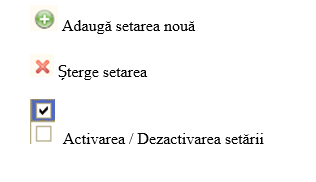
Activarea / Dezactivarea regimului de editare a formei de tabel pentru sistemul 8.1 este accesat din meniul ”Tabel”
- Precizează criteriul de comparație
Activarea / Dezactivarea regimului de editare a formei de tabel pentru sistemul 8.1 este accesat din meniul ”Tabel”
 Accesul la această funcție în sistemul v8.2 se realizează prin selectarea punctului necesar din listă a meniului principal
 Cu excepția celor spuse de mai sus modalitatea de lucru cu rapoarte este identică cu versiunea 7.7.
La sfîrșitul acestui articol, trebuie de menţionat imortanța SCDR. Aceasta este o secțiune întreagă în sistemul 1C 8.x căruia vom dedica o lecție aparte "Sistemul de Compoziție a Datelor și Rapoartelor".
Atunci cînd calculatoarele erau mari , iar memoria lor era mica și insuficientă pentru calcule dificile , compacia 1C a elaborat un program de 1C Enterprise 7.7 . În acest program , ca și în multe altele , apărea necesetatea de a afișa informația în diverse forme de imprimare .
Conceptul de rezolvare a acestei probleme a fost bazat pe formele de tabel, din care programatorul încerca să facă așa-numitul șablon , și prin codarea ( uneori numărul de litere din cod ar putea concura cu o teză de doctor ) adaugă datele necesare și, după prelucrearea lor de către program, le afișa pe ecran.
Sistemul de Compoziție a Datelor ( SCD ) – reprezintă o revoluție în modul de construcție a rapoartelor. Cel mai fenomenal lucru – este că puteți crea rapoarte pe principiul - "Programarea mouse-ul." Desigur, funcția de creator este efectuată de către programator . Dar SCD permite utilizatorului simplu de a construi rapoartele după specificul său.
Cu excepția celor spuse de mai sus modalitatea de lucru cu rapoarte este identică cu versiunea 7.7.
La sfîrșitul acestui articol, trebuie de menţionat imortanța SCDR. Aceasta este o secțiune întreagă în sistemul 1C 8.x căruia vom dedica o lecție aparte "Sistemul de Compoziție a Datelor și Rapoartelor".
Atunci cînd calculatoarele erau mari , iar memoria lor era mica și insuficientă pentru calcule dificile , compacia 1C a elaborat un program de 1C Enterprise 7.7 . În acest program , ca și în multe altele , apărea necesetatea de a afișa informația în diverse forme de imprimare .
Conceptul de rezolvare a acestei probleme a fost bazat pe formele de tabel, din care programatorul încerca să facă așa-numitul șablon , și prin codarea ( uneori numărul de litere din cod ar putea concura cu o teză de doctor ) adaugă datele necesare și, după prelucrearea lor de către program, le afișa pe ecran.
Sistemul de Compoziție a Datelor ( SCD ) – reprezintă o revoluție în modul de construcție a rapoartelor. Cel mai fenomenal lucru – este că puteți crea rapoarte pe principiul - "Programarea mouse-ul." Desigur, funcția de creator este efectuată de către programator . Dar SCD permite utilizatorului simplu de a construi rapoartele după specificul său.
Institutions:
„Acest articol aparține exclusiv P.P. „Monitorul fiscal FISC.md” și este protejat de Legea privind drepturile de autor.
Orice preluare a conținutului se face doar cu indicarea SURSEI și cu LINK ACTIV către pagina articolului”.

8028 views
The date of publishing:
16 April /2014 14:06
Catalogul tematic
Contabilitate
0 comments
New account
Repeat password *
Sign in
Sign in can be to do with e-mail adresss or login
E-mail/Login *
Password *