Get the link to change the password

E-mail *

Send
Give up
logo
022 822 024

Assistment and Call Center

New account

New account

First name *
The field will be filled with letters (A to Z), who will be reflected at articles and comments
Last name *
The field will be filled with letters (A to Z), who will be reflected at articles and comments
Login *
The field will be filled with letters (A to Z) and/or numbers, without free spaces. Can be used the symbols, except the symbol _
E-mail *
The field will be completed with un valid e-mail. To this e-mail will be sent the confirmation link about the registred user account
Password *
The password will be contain at 5 to 15 characters and will be different for the date indicated at the login, name and firstname

Repeat password *

Cancel
Sign in

Sign in

Sign in can be to do with e-mail adresss or login

E-mail/Login *

Password *

Sig in with your Google account
MPass authentication
Cancel

Get the link to change the password

E-mail *

Send
Give up
EN
  • RO
  • RU
  • EN
RORUEN
logo
About usDailyThe expert position Related sectionAccounting sectorServices13Info-video

PP „Monitorul Fiscal FISC.MD”

MD-2005, Kishinev
Constantin Tanase street, no. 6
Inside „Fertilitatea-Chișinău” Corporation., 3-th floor, office 320

Antechamber:

022 822 024

E-mail:

secretariat@monitor.tax

Support and Contact Center:

022 822 024

You want to obtain an operative and complex answer?

Send your question and obtain the answer from the experts in the shortest time, at your e-mail or published in the compartment „Questions and answers”

Ask us a question

Ask us a question

You want to obtain an answer or you will can to suggest as an article necessary for your work process? Sign in on the page, send your question or suggest and obtain the answer from the experts in the shortest time, at your e-mail or published in the compartment „Questions and answers”.

E-mail: *

Message *
Message
0/500
Cancel the message
ArhivaFrequent questionsTerms and conditions of use of the page Privacy policyInstrucțiuni pentru ștergerea contului

Subscription at Newsline

facebooktwitterlinkedintelegraminstagramgoogle
Amex logoMAIB logoMasterCard logoVisa logo

Site version: 1.0

Copyright 2021

All riths on the page monitorul.fisc.md belongs P.P. „Monitorul Fiscal FISC.MD”. Full or partial reproduction about informations or illustrations in either compartment is possible only with the written consent of the publication. Intellectual piracy is punishable by law.

icon

Feedback

To monitor the status of sent Feedback, initial we recommend to you to do sign in on the page. So, the answer at PP „Monitorul Fiscal FISC.md” at feedback will be save and will be displayed in your personal profile. If the feedback is sent an you aren't authentificated on the page, the message will be sent tot your e-mail.

E-mail: *

Message *
Message
0/500
Cancel the message
iconiconicon
icon
Facebook iconTwitter iconLinkedIn iconTelegram iconVK icon
icon
  • Home page
  • Daily
  • News
  • Подписан приказ об утверждении типовой формы «Налоговая накладная»
Article image

News

Подписан приказ об утверждении типовой формы «Налоговая накладная»

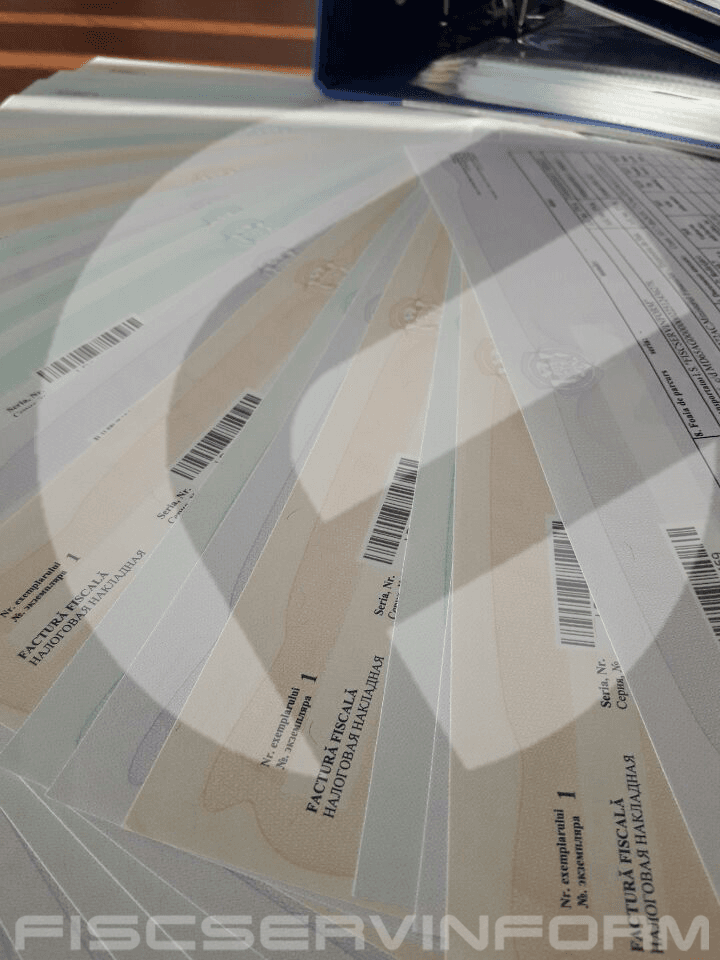
Приказ № 118 об утверждении типовой формы первичного документа строгой отчетности «Налоговая накладная» и инструкции по ее заполнению подписан министром финансов, Октавианом Армашу, 28 августа 2017 г. Напоминаем, что с 28 октября текущего года все субъекты со статусом плательщика НДС, а также субъекты, не зарегистрированные в качестве плательщиков НДС, в процессе осуществления финансово-экономической деятельности должны будут использовать новую форму строгой отчетности — Налоговую накладную. Согласно Приказу, использование ныне действующих бланков будет разрешено до полного исчерпания запасов – как приобретенных экономическими субъектами, так и оставшихся в ГНС, при условии соблюдения методики заполнения бланков, действующей на момент их приобретения . Ответственным за централизованное изготовление бланков налоговой накладной будет Государственная Налоговая Служба, также как и за выдачу серий и диапазонов для самостоятельной распечатки налоговой накладной, администрирование, поддержку, развитие и обеспечение деятельности автоматизированных информационных систем для учета бланков. Вместе с тем, экономические субъекты, ведущие электронный бухгалтерский учет и желающие самостоятельно распечатывать налоговые накладные на специализированной бумаге с защитными знаками, получат это право на основании расписки в электронном формате, переданной на www.servicii.sfs.md посредством автоматизированной системы онлайн заказа типовых форм. Также следует учесть, что полученные до 28 октября серии и диапазоны номеров станут недействительными и не смогут быть использованы для самостоятельной печати документов строгой отчетности. Приказ вступит в силу 28 октября текущего года. Приказ МФ №118 от 28.08.2017

Institutions:

Publicaţia periodică "Monitorul Fiscal FISC.MD" | Ministerul Finanțelor al Republicii Moldova

„Acest articol aparține exclusiv P.P. „Monitorul fiscal FISC.md” și este protejat de Legea privind drepturile de autor.
Orice preluare a conținutului se face doar cu indicarea SURSEI și cu LINK ACTIV către pagina articolului”.

3
dna1s7k9v2.png

10585 views

The date of publishing:

15 September /2017 08:34

Catalogul tematic

Administrare fiscală | Noutăți | Formulare standart | Factura fiscală

0 comments

Only users registered

New account

First name *
The field will be filled with letters (A to Z), who will be reflected at articles and comments
Last name *
The field will be filled with letters (A to Z), who will be reflected at articles and comments
Login *
The field will be filled with letters (A to Z) and/or numbers, without free spaces. Can be used the symbols, except the symbol _
E-mail *
The field will be completed with un valid e-mail. To this e-mail will be sent the confirmation link about the registred user account
Password *
The password will be contain at 5 to 15 characters and will be different for the date indicated at the login, name and firstname

Repeat password *

Cancel
and autorized

Sign in

Sign in can be to do with e-mail adresss or login

E-mail/Login *

Password *

Sig in with your Google account
MPass authentication
Cancel

Get the link to change the password

E-mail *

Send
Give up
they have the right to post comments.